Achieve ADA Compliance: Essential Steps for Websites by March 2026

Anúncios
The 3 Critical Steps to Ensure ADA Compliance for Your Website by March 2026: A Practical Accessibility Guide
In an increasingly digital world, your website is often the first point of contact between your business and your customers. However, for a significant portion of the population, including individuals with disabilities, navigating the web can be a frustrating, if not impossible, experience. This is where ADA Website Compliance becomes not just a legal obligation, but a moral imperative. As we approach the looming deadline of March 2026, understanding and implementing the necessary changes to ensure your website is accessible to all is more crucial than ever.
The Americans with Disabilities Act (ADA), originally enacted in 1990, has evolved to address the digital landscape. While the ADA doesn’t explicitly mention websites, courts have consistently interpreted its provisions to apply to web-based services, recognizing websites as "places of public accommodation." This means that if your business operates a website, it must be accessible to individuals with disabilities, just like a physical storefront. Non-compliance can lead to costly lawsuits, reputational damage, and, most importantly, the exclusion of potential customers.
Anúncios
This comprehensive guide will walk you through the three critical steps to achieving ADA Website Compliance by March 2026. We’ll delve into understanding the standards, implementing technical and content adjustments, and establishing a robust maintenance and monitoring strategy. Our goal is to equip you with the knowledge and actionable insights needed to not only meet the deadline but to build a truly inclusive digital presence.
Understanding the Landscape: What is ADA Website Compliance and Why is it Critical?
Before diving into the "how," it’s essential to grasp the "what" and "why" of ADA Website Compliance. At its core, it means designing and developing your website so that people with disabilities can perceive, understand, navigate, and interact with it effectively. This includes individuals with visual, auditory, motor, and cognitive impairments.
Anúncios
The Legal Framework and the March 2026 Deadline
The absence of specific federal regulations for web accessibility under the ADA has historically led to a patchwork of legal interpretations. However, the Department of Justice (DOJ) has consistently affirmed that the ADA applies to websites. The rising tide of accessibility lawsuits, particularly against businesses whose websites are not accessible, underscores the urgency. While there isn’t a single, universally agreed-upon federal deadline for all websites, the legal landscape is shifting. Many legal experts and industry leaders are anticipating more stringent enforcement and potential new guidelines, with March 2026 often cited as a critical benchmark for proactive compliance efforts.
The primary standard for web accessibility globally is the Web Content Accessibility Guidelines (WCAG), developed by the World Wide Web Consortium (W3C). WCAG 2.1 (and soon 2.2) provides a detailed set of recommendations for making web content more accessible. While not directly federal law, WCAG is widely accepted as the de facto standard for ADA Website Compliance in legal proceedings. Most lawsuits cite failures to meet WCAG 2.1 Level AA success criteria.
Why Prioritize ADA Website Compliance Now?
- Legal Protection: The most immediate and tangible benefit is mitigating the risk of costly lawsuits. Settlements and legal fees can run into tens of thousands or even hundreds of thousands of dollars, not to mention the time and resources diverted from your core business.
- Expanded Market Reach: Approximately one in four adults in the United States lives with a disability. By making your website accessible, you open your digital doors to a significant demographic with considerable purchasing power. This expands your customer base and fosters brand loyalty.
- Enhanced User Experience for All: Many accessibility features, such as clear navigation, logical structure, and keyboard compatibility, benefit all users, not just those with disabilities. A more accessible website is often a more user-friendly, intuitive, and performant website.
- Improved SEO: Search engines favor well-structured, semantic HTML, proper alt text for images, and clear content – all elements that are also crucial for accessibility. Implementing accessibility best practices can indirectly boost your search engine rankings.
- Brand Reputation and Social Responsibility: Demonstrating a commitment to inclusivity enhances your brand’s reputation as a socially responsible and ethical organization. This resonates with a broader audience and can be a significant differentiator in today’s competitive market.
- Future-Proofing: As technology evolves and legal interpretations mature, the standards for accessibility are only likely to become more robust. Proactive compliance now positions your business favorably for future developments.
Understanding these foundational aspects sets the stage for the practical steps you need to take. The March 2026 deadline might seem distant, but achieving full ADA Website Compliance is a journey, not a sprint. Starting early is key to a successful and stress-free transition.
Step 1: Conduct a Comprehensive Accessibility Audit and Assessment
The first critical step in your journey toward ADA Website Compliance is to understand your current accessibility posture. You can’t fix what you don’t know is broken. A comprehensive accessibility audit and assessment will identify specific areas of non-compliance and provide a roadmap for remediation.
Automated vs. Manual Testing: A Hybrid Approach is Best
There are two primary methods for conducting an accessibility audit:
- Automated Accessibility Tools: These tools (e.g., Lighthouse, WAVE, Axe) can quickly scan your website for common accessibility issues, such as missing alt text, insufficient color contrast, or incorrect ARIA attributes. They are excellent for identifying low-hanging fruit and providing a high-level overview.
- Manual Accessibility Testing: This involves human testers, ideally including individuals with various disabilities, navigating your website using assistive technologies (e.g., screen readers like JAWS or NVDA, speech recognition software, keyboard-only navigation). Manual testing is crucial because automated tools can only detect about 30% of accessibility issues. Human judgment is required to assess context, usability, and the overall experience for someone relying on assistive technology.
A truly effective audit combines both approaches. Use automated tools for efficiency and initial scans, then follow up with thorough manual testing to uncover more complex, nuanced issues that impact user experience.
Key Areas to Focus During Your Audit
Your audit should meticulously examine various aspects of your website against WCAG 2.1 Level AA criteria. Here are some of the critical areas:
- Keyboard Navigation: Can all interactive elements (links, buttons, forms, menus) be accessed and operated using only a keyboard? Is the focus order logical?
- Alternative Text for Images: Do all meaningful images have descriptive alt text? Is purely decorative imagery properly ignored by assistive technologies?
- Color Contrast: Is there sufficient color contrast between text and its background to ensure readability for users with low vision or color blindness?
- Form Accessibility: Are form fields clearly labeled? Are error messages clear and programmatically associated with the fields? Can forms be completed using a keyboard and assistive technologies?
- Headings and Structure: Is your content organized with a clear, logical heading structure (H1, H2, H3, etc.)? This helps screen reader users understand the hierarchy of information.
- Link Text: Are link texts descriptive and meaningful out of context? Avoid "click here" or "read more."
- Video and Audio Content: Do videos have captions, transcripts, and audio descriptions? Are audio files accompanied by transcripts?
- ARIA Attributes: Are ARIA (Accessible Rich Internet Applications) attributes used correctly to enhance the accessibility of dynamic content and complex UI components?
- Language Identification: Is the primary language of the page identified? Are changes in language within the content also marked?
- Responsive Design: Does the website adapt well to different screen sizes and orientations?
Choosing an Accessibility Partner
For many organizations, especially those with complex websites, engaging an experienced accessibility consultant or vendor is highly recommended. They possess the expertise and tools to conduct thorough audits, interpret WCAG guidelines, and provide practical remediation solutions. When selecting a partner, look for:
- Experience with WCAG 2.1 Level AA.
- A methodology that includes both automated and manual testing.
- Expertise in your specific technology stack (e.g., WordPress, Shopify, custom frameworks).
- A track record of successful compliance projects and legal defense support.
The output of this audit should be a detailed report outlining all identified accessibility barriers, their severity, and recommendations for remediation. This report will serve as your blueprint for the next crucial step.
Step 2: Implement Remediation and Accessibility Features
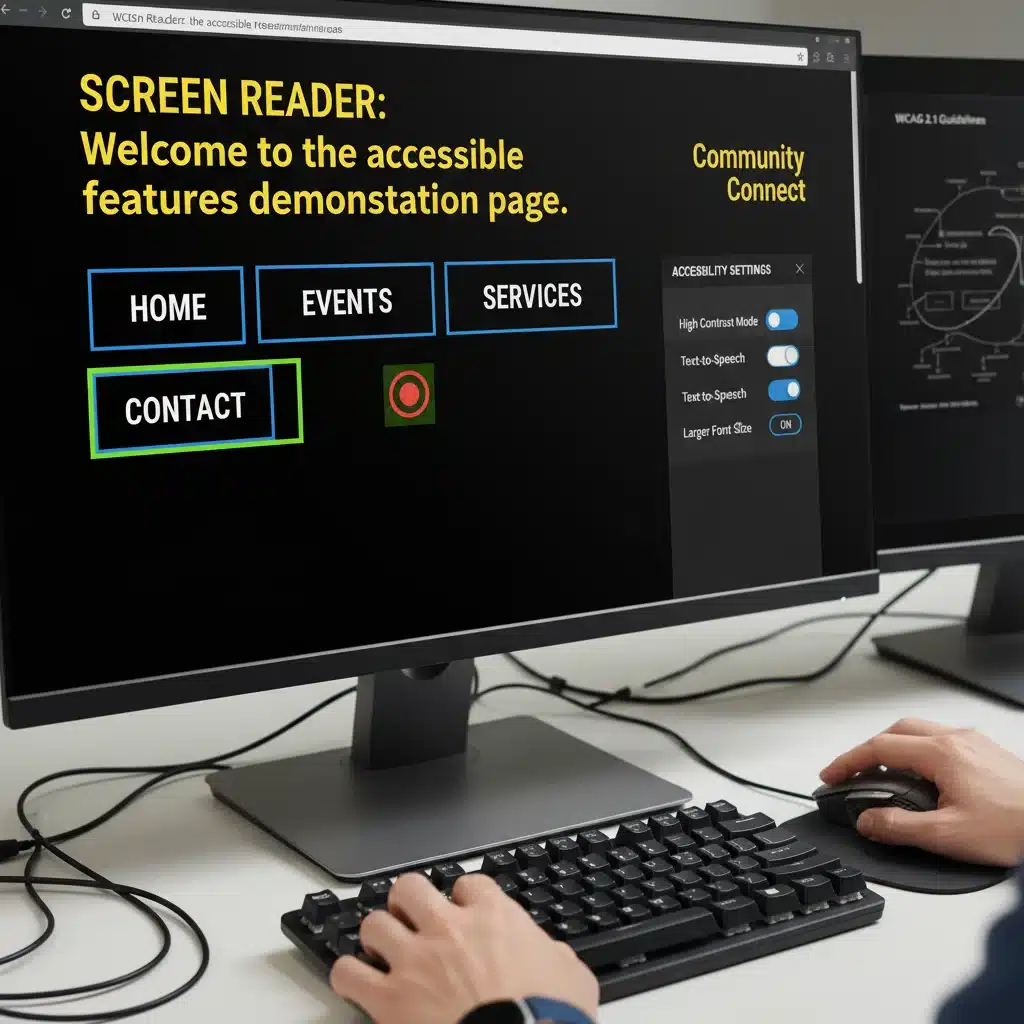
With a clear understanding of your website’s accessibility gaps, the next step is to systematically implement the necessary changes. This phase involves both technical adjustments to your code and content enhancements to improve usability for all. This is where your ADA Website Compliance efforts truly take shape.
Technical Implementations
Many accessibility issues require modifications to your website’s underlying code and structure. Here are common technical remediations:
- Semantic HTML: Use HTML elements for their intended purpose (e.g.,
<h1>for main headings,<nav>for navigation,<button>for buttons). This provides inherent structure for assistive technologies. - ARIA Roles and Attributes: For custom UI components or dynamic content that HTML alone can’t fully describe, use ARIA roles (e.g.,
role="dialog") and attributes (e.g.,aria-label,aria-live) to convey meaning and state to assistive technologies. - Keyboard Accessibility: Ensure all interactive elements are reachable and operable via keyboard. Implement proper tab order (
tabindex) and focus management, especially for modal windows, dropdowns, and complex widgets. - Responsive Design: Your website must be fully responsive to different screen sizes and orientations, ensuring content remains readable and functional across devices.
- Error Handling: Provide clear, accessible, and actionable error messages for forms. Ensure errors are announced to screen reader users.
- JavaScript Accessibility: If you use JavaScript for dynamic content, ensure that changes are announced to assistive technologies. This often involves using ARIA live regions.
- Skip Links: Implement "skip to content" links at the top of your page to allow keyboard and screen reader users to bypass repetitive navigation elements.
- Custom Controls: If you use custom checkboxes, radio buttons, or sliders, ensure they are programmatically accessible and behave like native controls.
Content and Design Enhancements
Accessibility isn’t just about code; it’s also about how your content is presented and structured. Content creators and designers play a crucial role:
- Alt Text for Images: Provide concise, descriptive alt text for all meaningful images. For purely decorative images, use empty alt attributes (
alt=""). - Video and Audio Accessibility: Implement accurate closed captions for all video content. Provide transcripts for both video and audio. For videos that convey visual information not present in the audio, add audio descriptions.
- Color Contrast: Ensure text and background colors meet WCAG contrast ratio requirements (at least 4.5:1 for normal text, 3:1 for large text). Use contrast checkers during the design phase.
- Clear and Concise Language: Write content in plain language, avoiding jargon where possible. Break up long paragraphs with headings and bullet points.
- Descriptive Link Text: Make sure link text clearly indicates the destination or purpose of the link (e.g., "Download our Accessibility Policy" instead of "Click here").
- Heading Structure: Use headings (H1-H6) to create a logical hierarchy for your content. There should only be one H1 per page.
- Accessible Documents: If you embed PDFs or other documents, ensure these documents are also accessible. This often requires specific formatting and tagging within the document itself.
- Focus Indicators: Ensure that keyboard focus indicators are clearly visible, allowing users to see where they are on the page at all times.
Prioritization and Phased Implementation
Depending on the size and complexity of your website, full remediation might be a significant undertaking. Prioritize issues based on severity and impact. Critical issues that block access for entire groups of users should be addressed first. Consider a phased approach, perhaps starting with your most trafficked pages or critical user flows (e.g., checkout process, contact forms).
It’s also crucial to involve all relevant stakeholders – developers, designers, content creators, and marketing teams – in this phase. Accessibility should be integrated into your development lifecycle, not treated as an afterthought.
Step 3: Establish Ongoing Maintenance, Monitoring, and Training
Achieving ADA Website Compliance is not a one-time project; it’s an ongoing commitment. Websites are dynamic, with new content, features, and updates being introduced regularly. Without proper maintenance and monitoring, your site can easily fall out of compliance. The March 2026 deadline emphasizes the need for a sustainable strategy.
Regular Accessibility Audits and Testing
Just as you conduct regular security audits, you should schedule periodic accessibility audits. This includes:
- Automated Scans: Implement automated accessibility checkers as part of your Continuous Integration/Continuous Deployment (CI/CD) pipeline. This can catch new issues early in the development process.
- Manual Reviews: Conduct quarterly or semi-annual manual reviews, especially after major website updates or content additions.
- User Testing with Disabilities: Periodically engage individuals with disabilities to test your website. Their real-world feedback is invaluable for identifying usability issues that automated tools or even expert manual testers might miss.
Implementing an Accessibility Statement
A clear and prominent accessibility statement on your website is crucial. This statement should:
- Detail your commitment to accessibility.
- Outline the accessibility standards you aim to meet (e.g., WCAG 2.1 Level AA).
- Describe any known limitations or ongoing efforts.
- Provide clear contact information (email, phone number) for users to report accessibility barriers or request assistance. This demonstrates your responsiveness and can help mitigate legal risks by showing a "good faith effort."
Employee Training and Awareness
Accessibility is a shared responsibility. Ensure that all relevant teams receive adequate training:
- Developers: Train on writing accessible code, using ARIA correctly, and understanding WCAG guidelines.
- Content Creators: Train on writing descriptive alt text, using proper heading structures, creating accessible documents, and ensuring good color contrast.
- Designers: Train on accessible design principles, including color contrast, focus indicators, and visual hierarchy.
- Customer Service: Train staff on how to assist users with disabilities who encounter accessibility issues on your website.
Regular refreshers and updates to training are essential as standards and technologies evolve.
Feedback Mechanisms and Remediation Process
Establish a clear process for handling accessibility feedback from users. When a user reports an issue:
- Acknowledge their feedback promptly.
- Investigate the reported issue.
- Prioritize and implement a remediation plan.
- Communicate updates on the resolution to the user.
This proactive approach not only improves your website but also demonstrates your commitment to inclusivity, potentially preventing formal complaints or lawsuits.

The Road Ahead to March 2026: Beyond Compliance to Inclusion
The March 2026 benchmark for ADA Website Compliance is not merely a deadline to avoid legal penalties; it’s an opportunity to embrace a more inclusive digital future. By following these three critical steps – conducting thorough audits, implementing comprehensive remediations, and establishing robust ongoing maintenance – your organization can move beyond basic compliance to genuinely foster digital inclusion.
Remember, accessibility is a journey, not a destination. The web is constantly evolving, and so too are the needs of its users. By embedding accessibility into your organizational culture, from design and development to content creation and customer service, you create a website that serves everyone, reflecting your commitment to diversity and equity.
Don’t wait until the last minute. The complexity of web accessibility means that proactive planning and execution are paramount. Start your journey towards full ADA Website Compliance today, and build a digital presence that is not only legally sound but also universally welcoming and usable.
Disclaimer: This article provides general information and is not intended as legal advice. For specific legal guidance regarding ADA compliance, it is recommended to consult with a qualified legal professional.